
How to set up IPTV: 3 easy steps
Setting up IPTV takes 3 easy steps: order, receive your login, and start watching on any device. Most customers are streaming within minutes.
Place your order
Pick the perfect plan for you — 1, 6 or 12 months — and get started right away.
Receive your login
Check your WhatsApp and inbox for login details and use them in your IPTV player app.
Start watching
Connect your IPTV to your TV, computer or phone and enjoy unlimited international channels.
Choose Your Player
Already have an IPTV app?
Just send us the name of the app you use (for example: TiviMate, IBO Player, IPTV Smarters, SmartOne, DuplexPlay…).
We’ll send you the correct login details for that app — no extra setup needed.
Don’t have an app yet?
You can install one of these popular IPTV players:
IBO Player
TiviMate
SmartOne
DuplexPlay
Net IPTV
OTT Navigator
(and many more)
💡 Recommended: Smarters Player (Free)
It’s easy to use, free, and works on almost every device.
Please follow the below steps to install this app on your device :
Install on your device
Choose your device for step-by-step instructions.
iPhone / iPad
Step 1: Start by downloading IPTV Smarters app from the Apple Store through this URL :
https://apps.apple.com/in/app/smarters-player-lite/id1628995509
Or you can search for it on App store : Smarters Player Lite
Step 2: Open the app once downloaded and Select Login With Xtream Codes API.
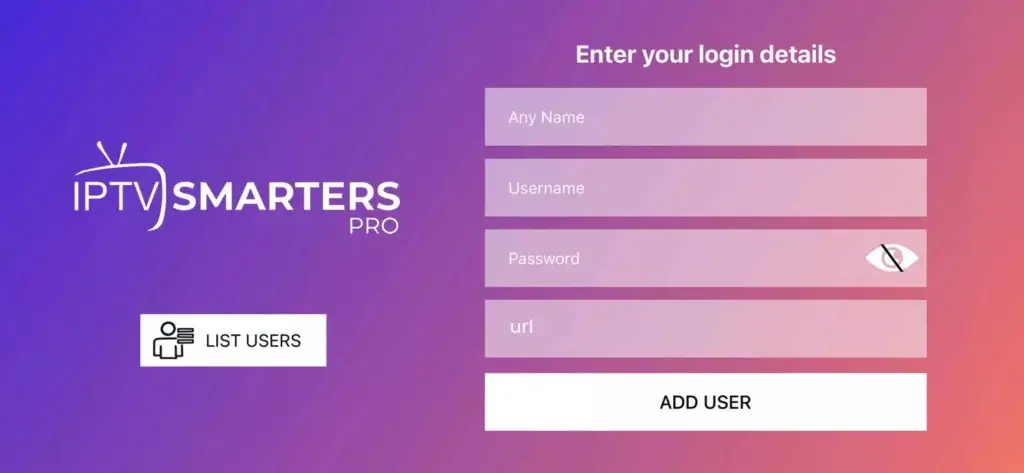
Step 3: Enter the login details that we have provided you after you get a subscription with us
Now Click on “ADD USER” to proceed to the next section.
Step 4: Wait some seconds.
Step 5: Now click on “Live TV” icon as depicted in the image via a red arrow.
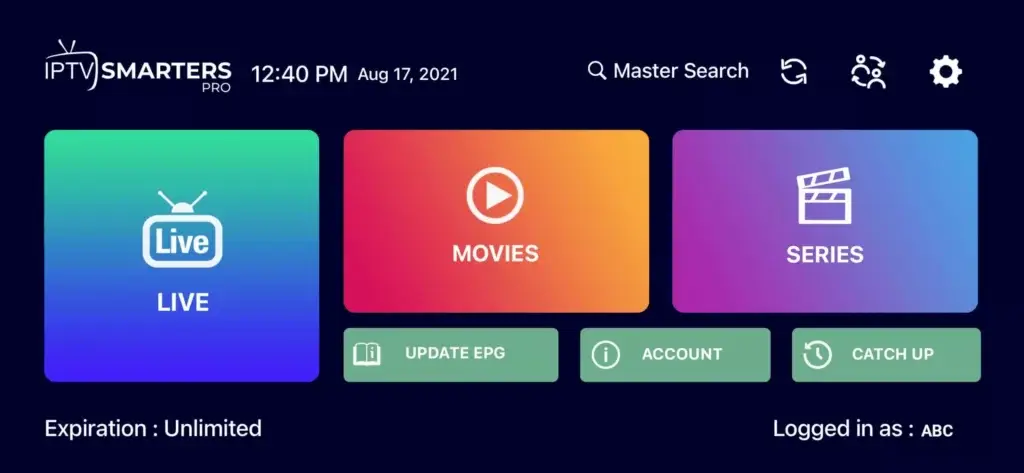
Step 6: Now you must select the channel group that you want to watch and proceed to the next section.
Step 7: Now you must click on the channel name and then double click on the small screen to turn into full screen as the final step.
Step 8: No need to add any EPG url, Just click on “Install EPG” .
Android
Step 1: Start by downloading IPTV Smarters app through this URL :
https://www.iptvsmarters.com/smarters.apk
Step 2: Open the app once downloaded Select Login With Xtream Codes API.
Step 3: Enter the login details that we have provided you after you get a subscription with us Now Click on “ADD USER” to proceed to the next section.
Step 4: Wait some seconds.
Step 5: Now click on “Live TV” icon as depicted in the image via a red arrow.
Step 6: Now you must select the channel group that you want to watch and proceed to the next section.
Step 7: Now you must click on the channel name and then double click on the small screen to turn into full screen as the final step.
Samsung & LG TV
For Samsung Smart TV :
Step 1 : Press the Smart Hub button from your remote.
Step 2 : Search for the IPTV Smarters Pro to install.
Step 3: Choose Login With Xtreme Codes
Step 4 : Log in the Application with your subscription details . Username, Password, Portal URL, That We Provide you.
For LG Smart TV :
Step 1 : Press the Home button on the remote & Go to LG Content Store.
Step 2 : Search for the IPTV Smarters Pro to install.
Step 3: Choose Login With Xtreme Codes
Step 4 : Log in the Application with your subscription details. Username, Password, Portal URL, That We Provide you.
Other Smart TVs
Step 1: You can download SetIPTV / NetIPTV / Smart IPTV/ IBO PLAYER/ FLIX IPTV/ SMARTONE/ SS IPTV/ OTT Player/ IPTV EXTREME from your TV store on Samsung, LG …
Step 2: After the installation, open the app the you will find MAC Address on screen EX : 👇
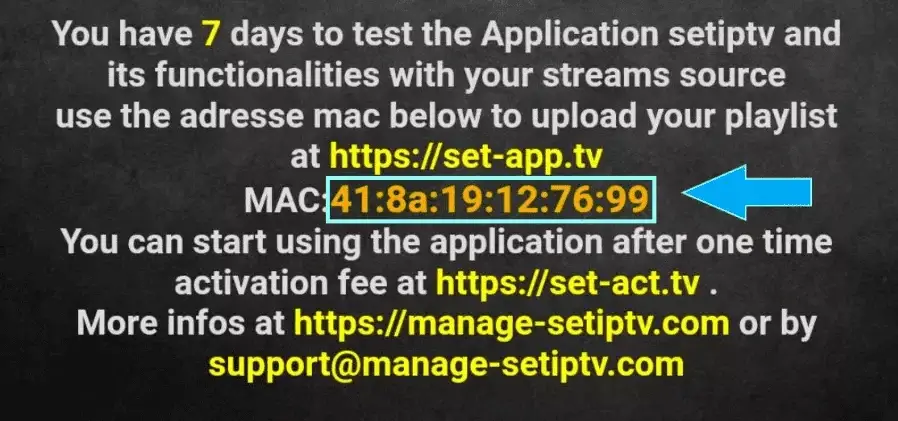
Step 3: Send us the MAC address via WhatsApp or email
Step 4: After few minutes, restart/reboot your TV and Open the app Done
Fire TV Stick
Step 1: From the home screen of your device, hover over the Find option.
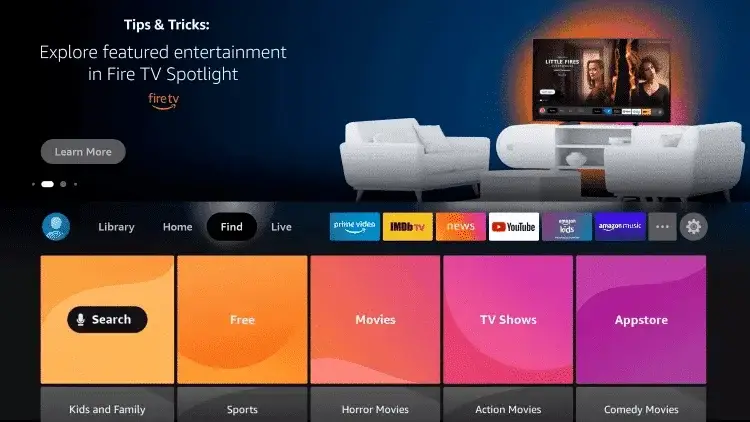
Step 2: Click Search.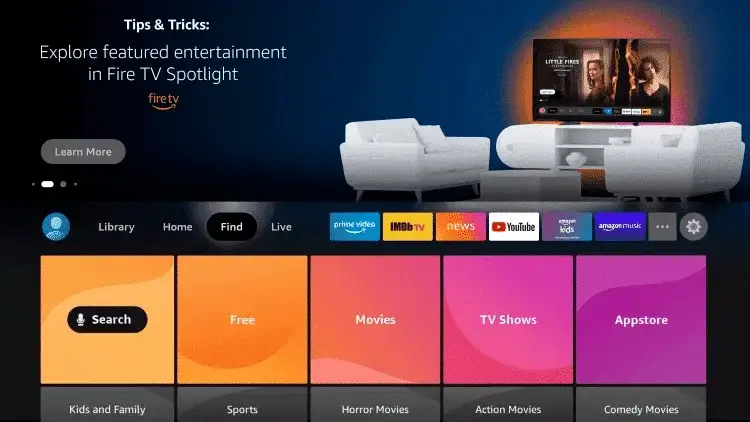
Step 3: Search for and select Downloader.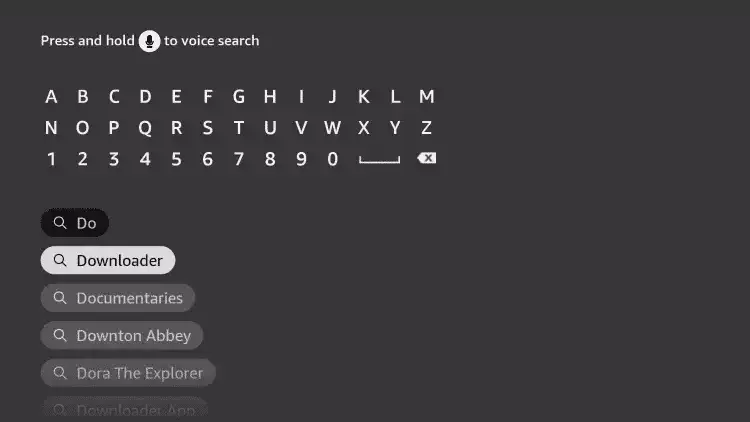
Step 4: Choose the Downloader app.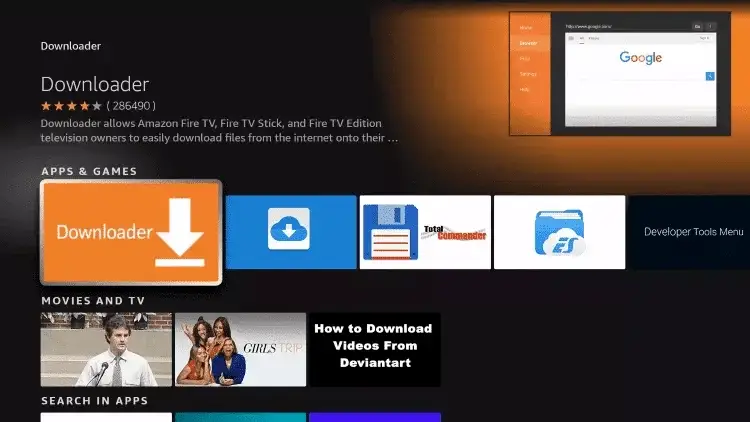
Step 5: Click Download.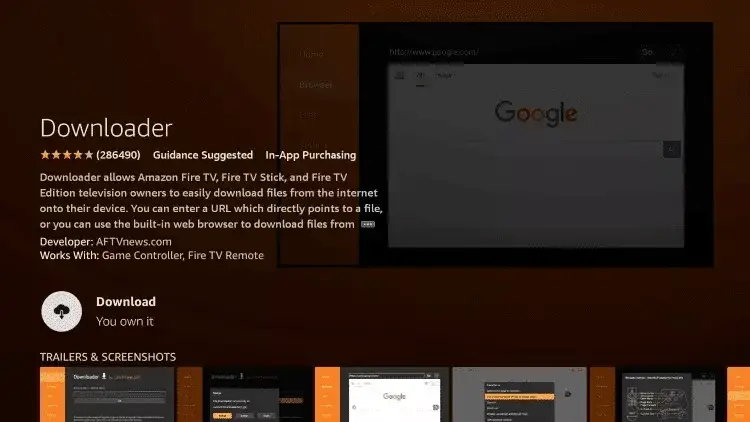
Step 6: Once the app finishes installing click Open.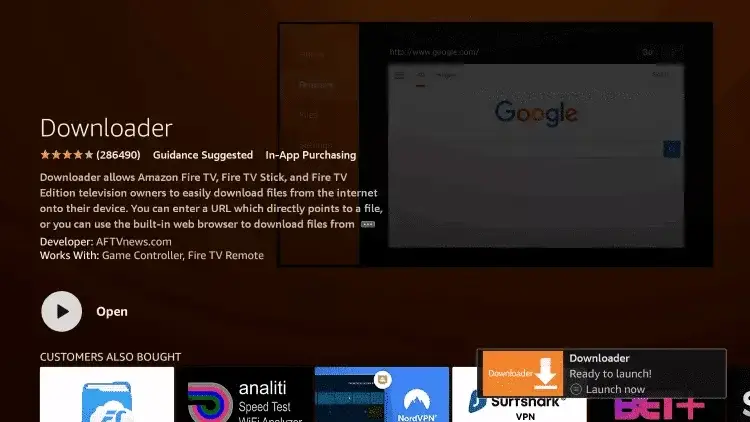
Step 7: Return to the home screen and open Settings.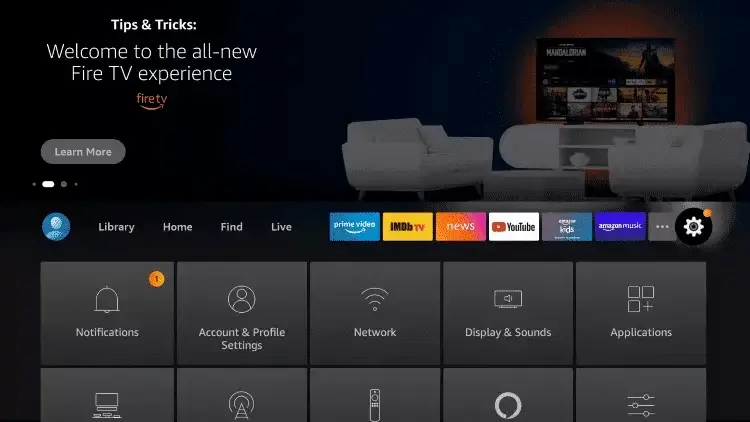
Step 8: Click My Fire TV.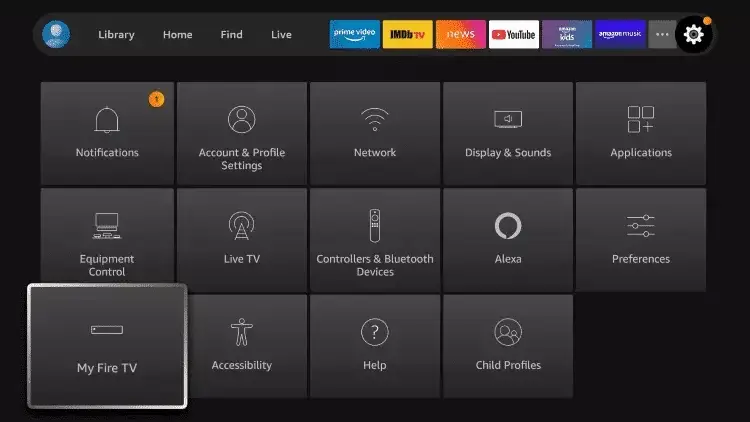
Step 9: Choose Developer options.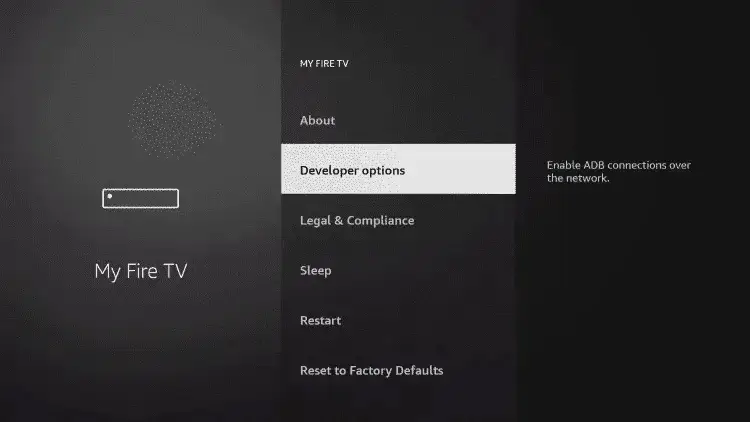
Step 10: Click Install unknown apps.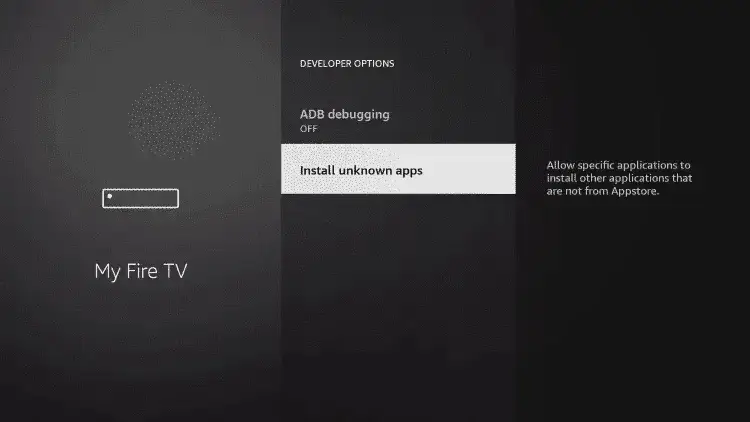
Step 11: Find the Downloader app and click it.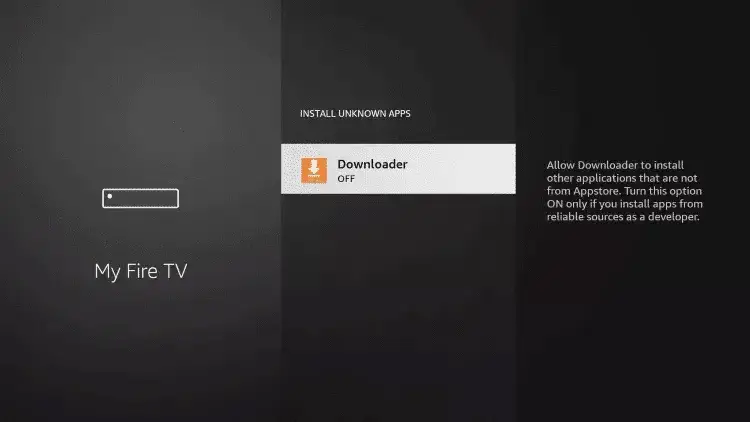
Step 12: This will turn Unknown Sources to On for the Downloader app. This will enable side-loading on your device.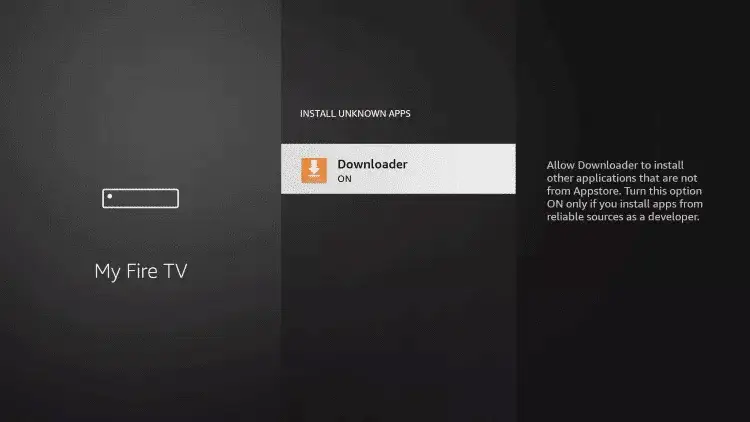
Step 13: Launch Downloader.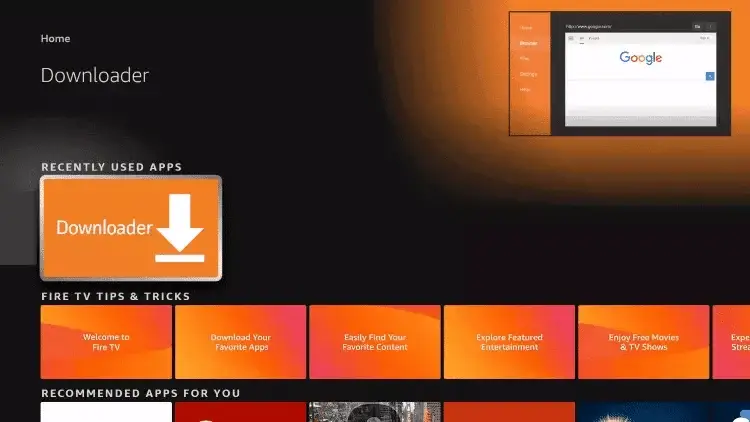
Step 14: Click Allow.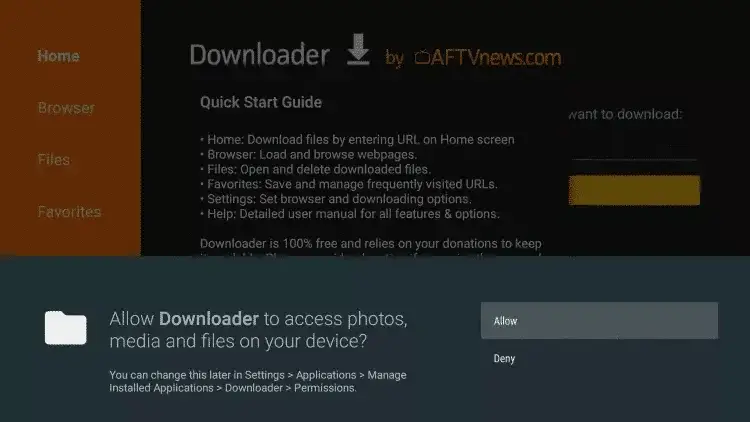
Step 15: Click OK.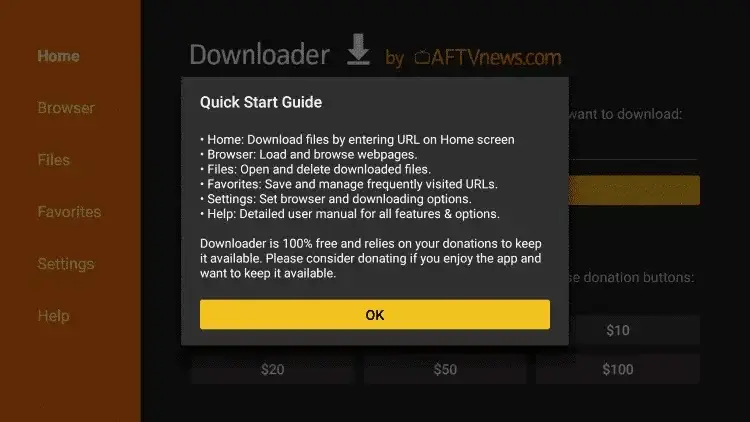
Step 16: Type the following URL exactly as shown here:
https://www.iptvsmarters.com/smarters.apk
and click Go.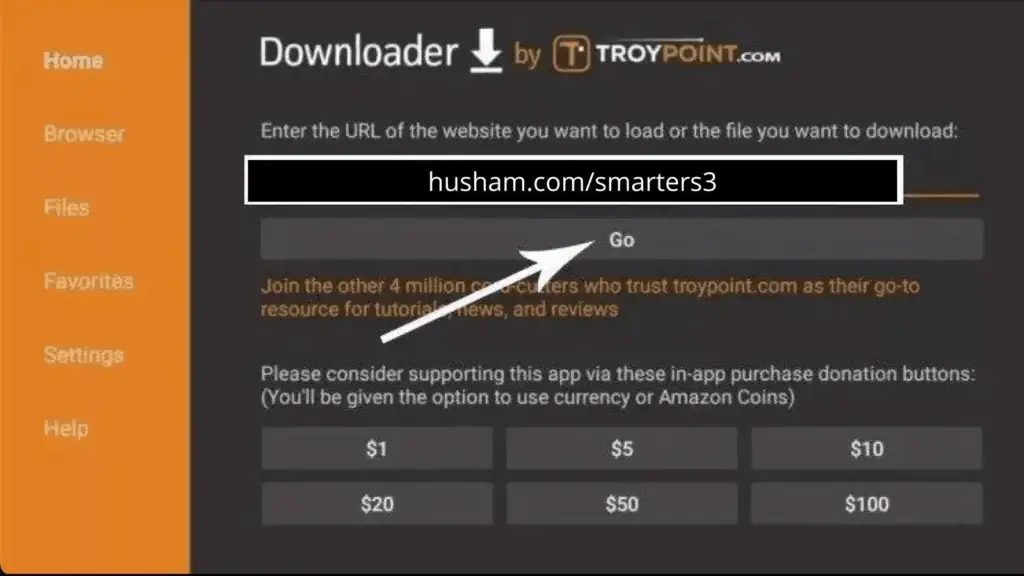
Step 17: Wait for file to download.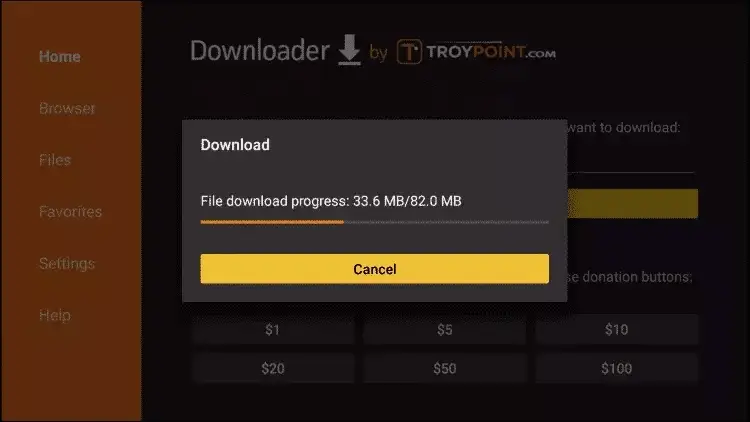
Step 18: Click Install.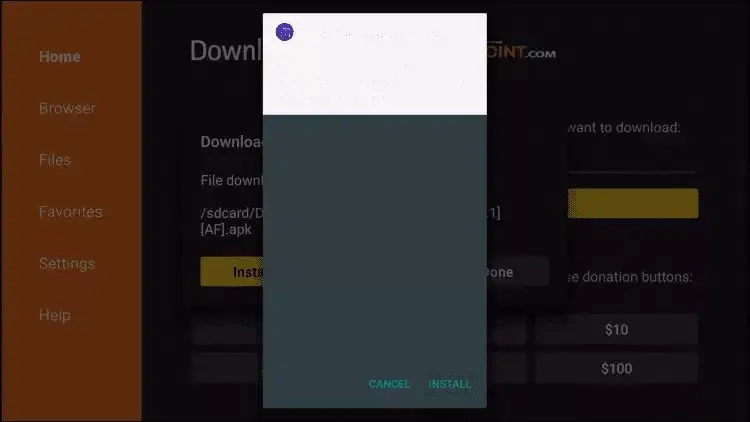
Step 19: Click Done.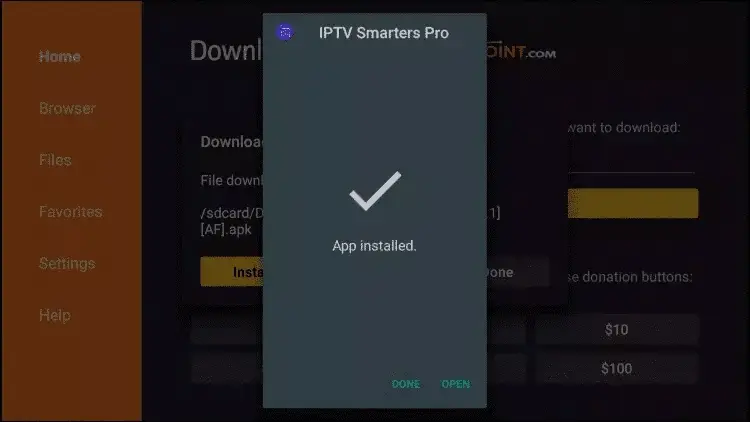
Step 20: Open IPTV smarters then select Login with Xtream codes api.
Step 21: Log in the Application with your subscription details . Username, Password, Portal URL, That We Provide you.
Windows
Step 1: Download IPTV Smarters app through this URL : https://www.iptvsmarters.com/download?download=windows
Step 2: Choose Login With Xtreme Codes
Step 3: Log in the Application with your subscription details . Username, Password, Portal URL, That We Provide you.
Mac
Step 1: Download IPTV Smarters app through this URL :
https://www.iptvsmarters.com/download?download=mac
Step 2: Choose Login With Xtreme
zCodes
Step 3: Log in the Application with your subscription details . Username, Password, Portal URL, That We Provide you.
MAG box
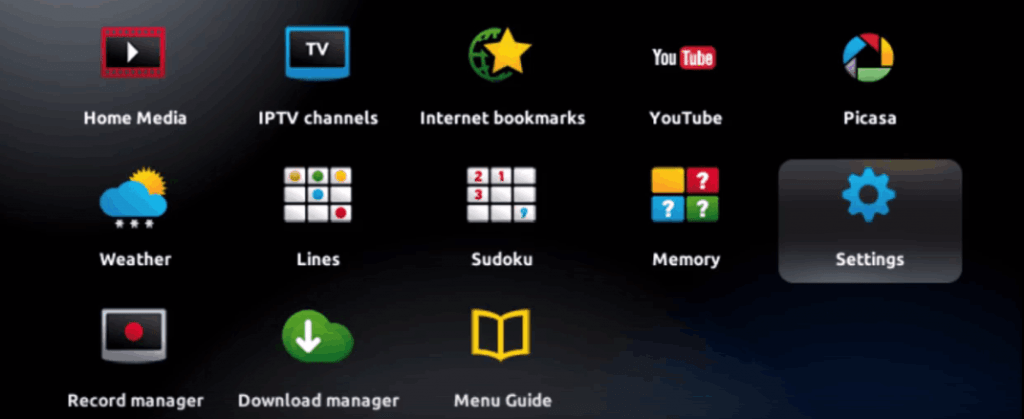
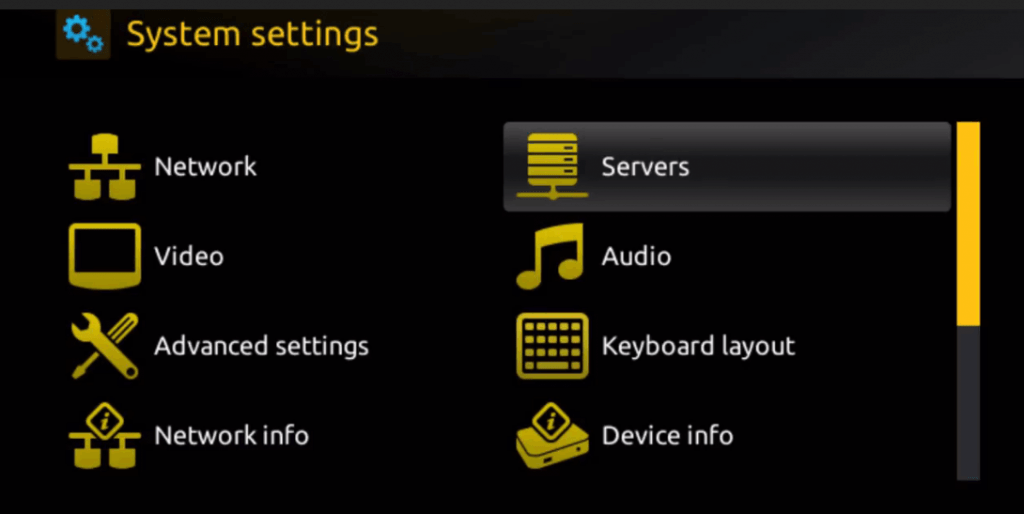
Step 2: Then press on “System settings” and click on “Servers”.
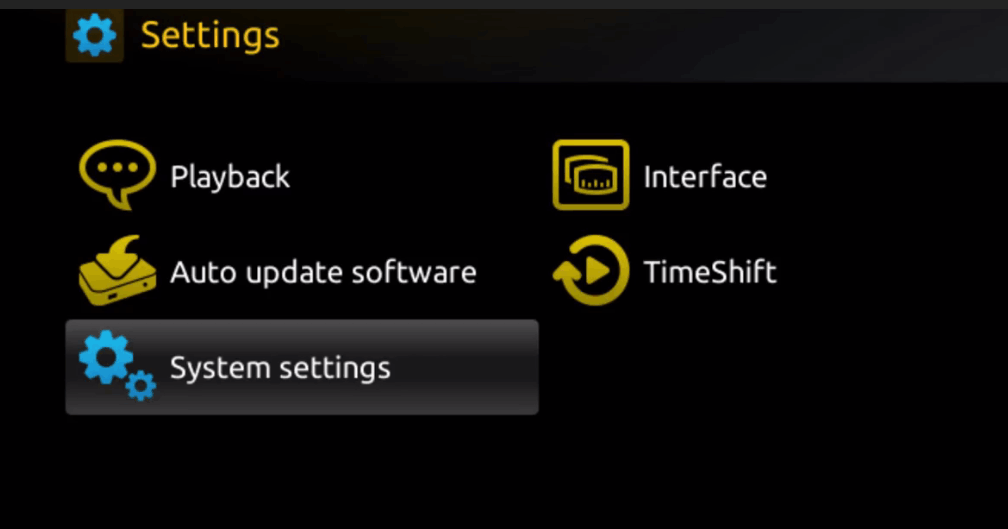
Step 3: Click on ‘Servers’
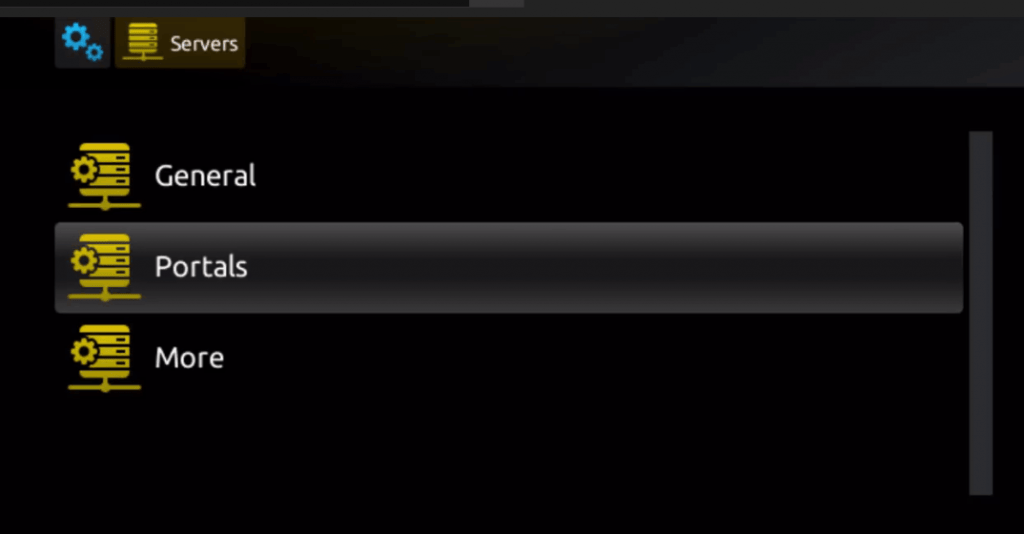
Step 4: Choose and Press option ‘Portals’
Step 5: In the ‘Portal 1 name’ line enter a portal name and in the ‘Portal 1 URL’ enter portal URL.
Therefore for the activation of our IPTV subscription on your MAG box, you must send us with your order the MAC address found on the label behind the box, the activation is done entirely remotely, just after activation, we will send you a URL link that you have to put on your PORTAL, as in the photo below:
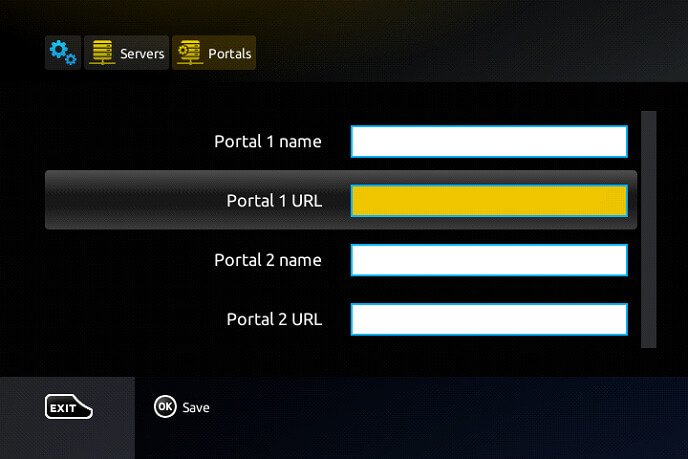
Step 6 – Finally when you complete select and click ‘OK’ to save the changes.
Step 7 – Click ‘EXIT’ on the remote control after the settings are being saved.
Step 8 – Consequently you have to reboot the box. Choose the option ‘OK’ to make the changes applied
Kodi
USING KODI KRYOPTON 17 :
Launch Kodi app
1. In the left menu click on TV
2. Click on Add-on browser.
3. Click on PVR IPTV Simple Client
4. Click on Configure
5. Select General
6. Enter the IPTV subscription URL.
7. Wait for some time until you get the notifications loaded
Frequently asked questions
Can’t find what you’re looking for? Our team replies in minutes, day and night.
How long does setup take?
Most customers are watching within about five minutes: you receive your login by email and WhatsApp, install an app, enter the login, and your channels load.
What login details will I receive?
A server URL, username and password (Xtream Codes login), and an M3U playlist link if your app prefers it.
Which app should I use?
On Firestick and Android TV use TiviMate; on phones, tablets and computers use IPTV Smarters Pro; on Samsung and LG TVs use Smart IPTV or Flix IPTV. See all IPTV apps.
What internet speed do I need?
About 10 Mbps for HD and 25 Mbps per screen for 4K. A wired connection or 5 GHz Wi-Fi gives the most stable picture.
What if I get stuck?
Message our team on WhatsApp or email [email protected] — we set up apps with customers every day.
 Start today
Ready to cut the cord?
Stream live TV, sports and blockbusters in 4K — for half the price. Start with a free 24-hour trial.